Turn
2% a click. Hold the dial as you turn for 1% steps.
 Levels
your mixer. your way.
Game, chat, music, mic and master, each on its own Stream Deck + dial. Turn to set it, press to mute, glance at the strip to check. There is nothing to set up.
No more alt-tabbing to the Windows volume mixer in the middle of a round.
Setup
No virtual cables, no audio routing, no account. Three steps, and the third is playing.
One click on the Elgato Marketplace. The Stream Deck app adds Levels by itself.
Drag Channel onto the four dials. Each one takes Game, Chat, Media or Master from where it sits.
Start a game and it lands on the Game dial, with its real name. Discord goes to Chat; Spotify and your browser go to Media.
How it works
That's the whole manual. The same three gestures on every dial.
2% a click. Hold the dial as you turn for 1% steps.
Mute. Press again and it's back where it was.
Pick one app on the strip: Spotify, then Chrome, then VLC. The dial now moves only that one.
The Levels profile
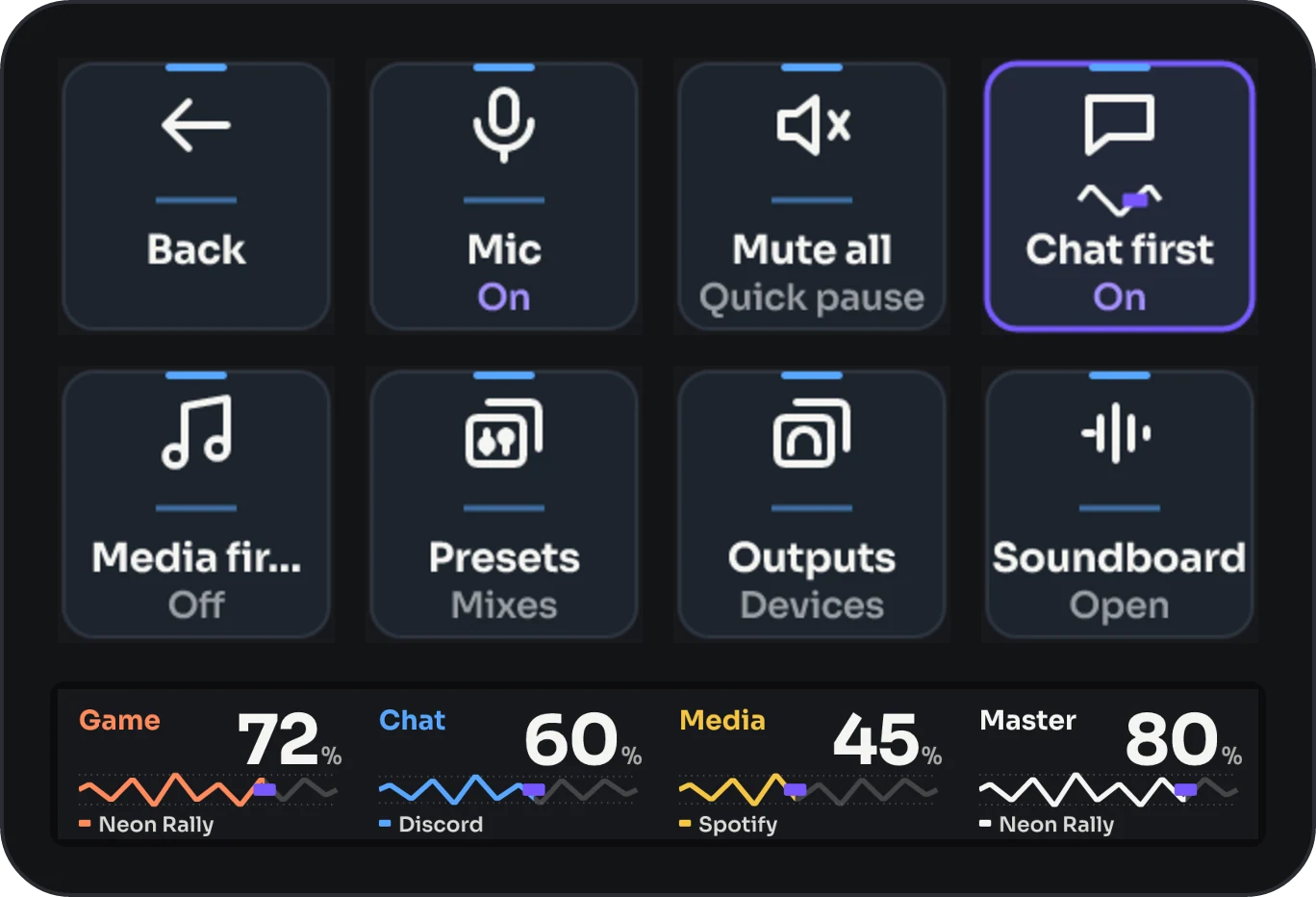
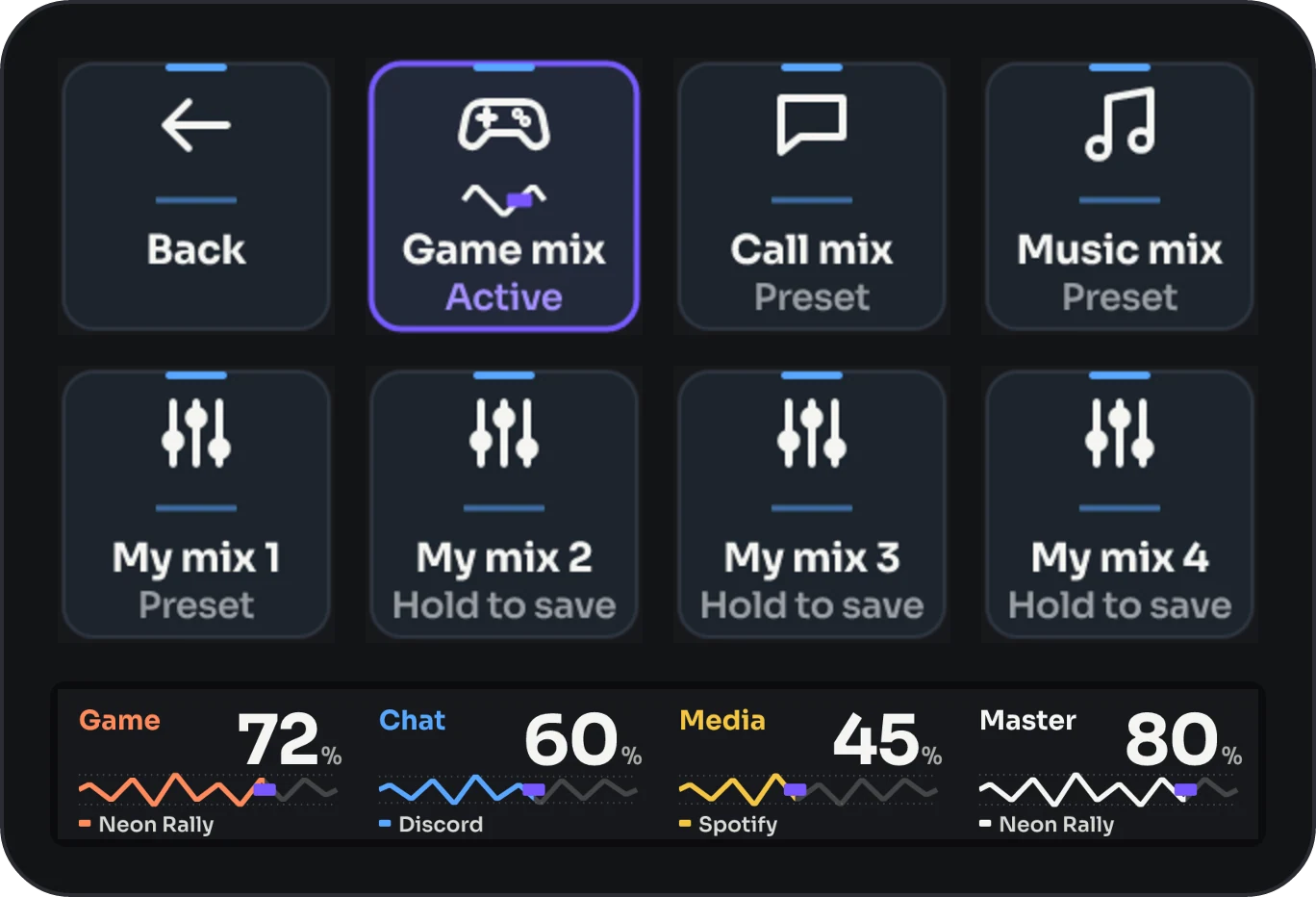
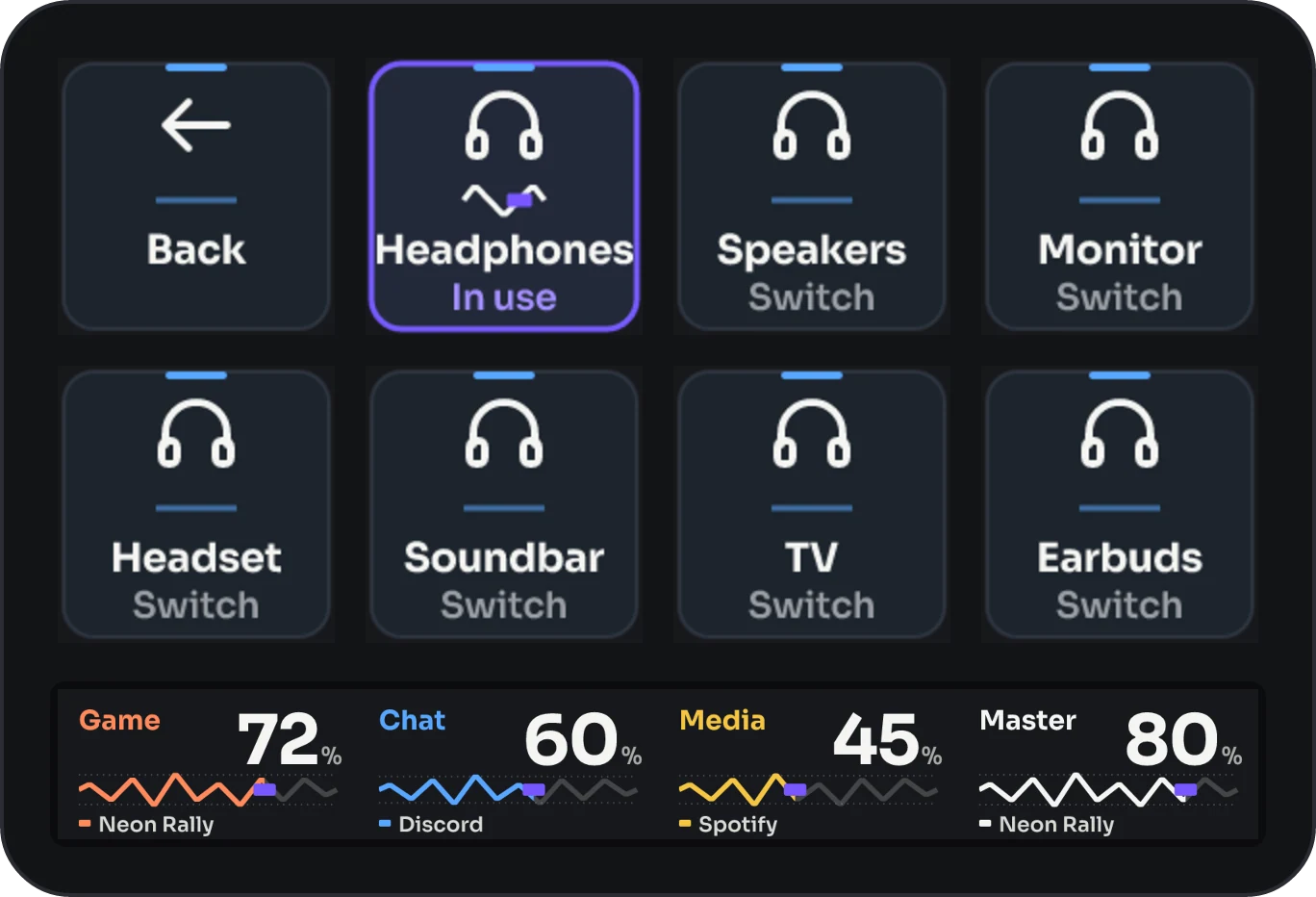
Press the Levels key and three pages open on your Stream Deck +, in the skin you use. Add pages of your own if you like.
Skins
Levels comes with its own skin. The others are a click away, each with its own idea of what volume looks like: a sun that rises, lava that cools when you mute, a VU needle with real ballistics. A skin dresses the strip and the keys, and has a transparent version for your own strip image.
 Soundboard
Expansion · €2.99Your sounds, a dial away.Levels has no soundboard of its own: this is it. Seven categories browsed with the dials, as many pages as you want, one volume for every sound.About Levels Soundboard
Soundboard
Expansion · €2.99Your sounds, a dial away.Levels has no soundboard of its own: this is it. Seven categories browsed with the dials, as many pages as you want, one volume for every sound.About Levels Soundboard
Works with
Levels is Windows only, built on Windows audio. It controls whole apps, not single sounds inside an app, and it does not route one app to a different output device. Media first reacts to any sound in the Media channel, not only to video. With SteelSeries Sonar, the level of a single app is its Windows volume: SteelSeries GG doesn't show a slider for it.
€6.99
Coming soon to the Elgato Marketplace. Follow Frenetiq Design there to know the day it's out.