Homepage 1
- Country
- Economy
- Military
- Maps
- Maps 2
- Battle plan
- Orders
Games · Eight pagesNew
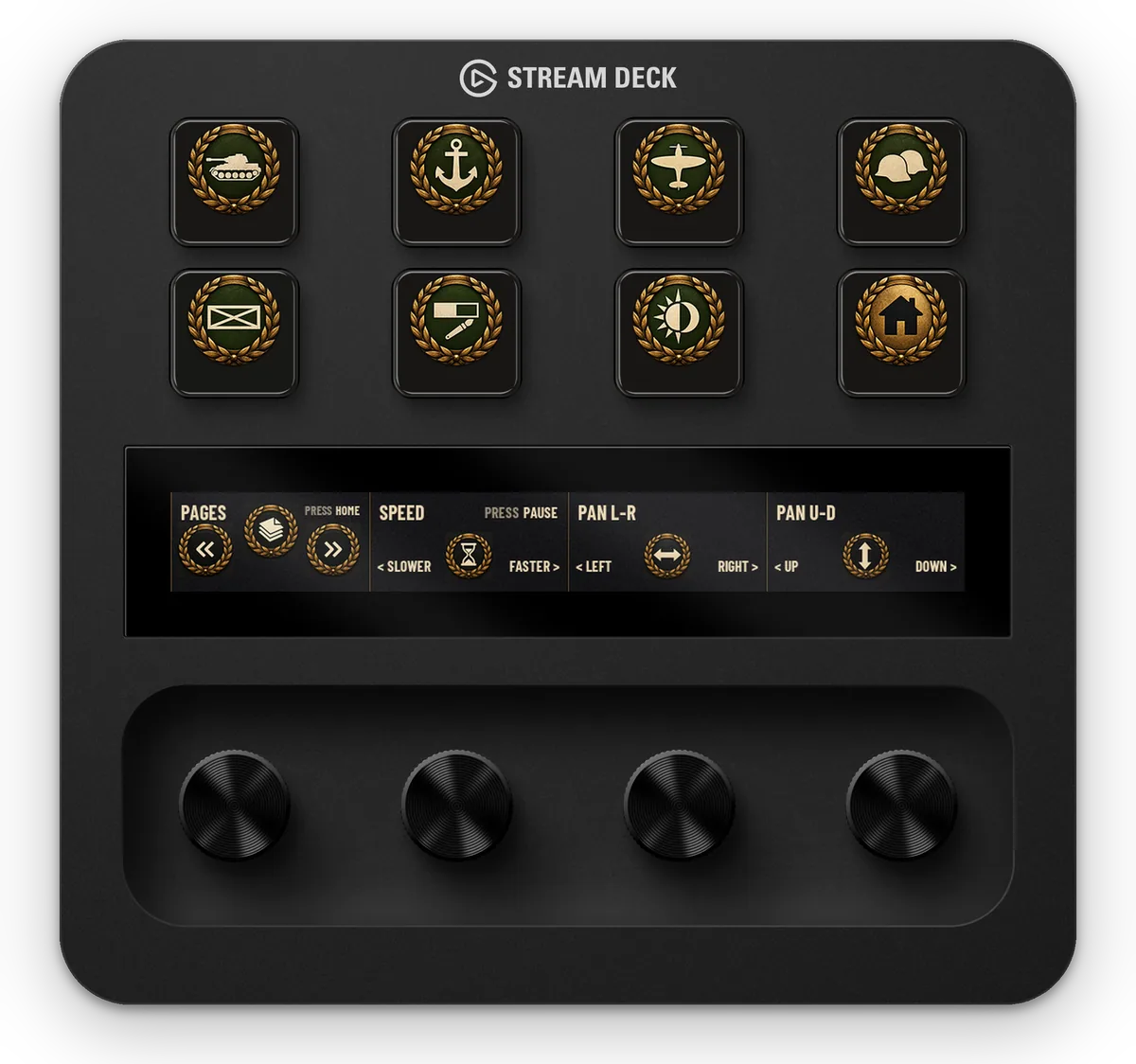
Hearts of Iron IV hotkeys on your Stream Deck: country, economy, military, ten map modes and battle plan tools. On Stream Deck +, game speed and camera pan are on the dials.
Live simulator
Pick a Stream Deck, press a key to see what it does and flip through the pages with the arrows or the Pages dial. The keys and dials are the profile’s own.
Overview
Profile for Hearts of Iron IV puts the commands you use most one tap away: country screens, production, ten map modes and the battle plan tools. One profile file for each of four Stream Decks: Stream Deck +, MK.2, Neo and Mini.
Country: politics, focus, decisions, research, diplomacy, trade, faction. Economy: construction, production, facilities, deploy, logistics, officers. Military: army, navy, air, allied plans, counters. Maps: all maps, default, navy, air, supply, terrain, resistance, compliance, resources, infrastructure, faction, minimap, intel. Battle plan: defence, offence, blitz, fallback, area defence, naval invasion, airborne, exercise.
Gallery
Stream Deck +
The Home page jumps to each page; Home returns from every page. Every key sends one key press of Hearts of Iron IV’s own controls.
Open a page to see its keys and dials.
Homepage 1
Countrypage 2
Economypage 3
Militarypage 4
Mapspage 5
Maps 2page 6
Battle planpage 7
Orderspage 8
Dials
Dial 1 flips pages; press it for Home. Dial 2 is the game speed; press it to pause. Dial 3 pans the map left and right, dial 4 up and down.
| Dial | Turn | Press |
|---|---|---|
| Pages | Previous or next page | Home |
| Speed | Slower or faster | Pause |
| Pan L-R | Pan the map left or right | Nothing |
| Pan U-D | Pan the map up or down | Nothing |
Devices
Each model gets a layout of its own, with fewer pages on the bigger decks and more on the smaller ones. Pick your device in the simulator above to try it.
Good to know
Setup guide
Two minutes, no plugins.
Something not working? See Troubleshooting or contact support.
FAQ
No. Each key sends one key press, like your keyboard, and the page keys only switch pages. No macros, no sequences, no timing.
The keys follow the game’s default controls. CONTROLS.csv in the download lists what every key and dial sends: set the same key in the game, or edit that action in Stream Deck.
Only for Resistance, Compliance and Intel, which need the La Résistance DLC. Everything else works with the base game.
Stream Deck +, MK.2, Neo and Mini: the download has one profile file for each, so pick the one that matches your device. The dials are on Stream Deck +. It is made for Windows; there is no Mac version.
The profile sets up your Stream Deck; it doesn’t include the game. Windows only. Independent product by Frenetiq Design, not affiliated with or endorsed by Paradox Interactive or Elgato. Hearts of Iron is a trademark of Paradox Interactive AB, named only to identify the game this profile is designed for.