Apps · Affinity
Affinity Studio Tools.
48 icons in one style, for the Stream Deck icon library.
- Icons
- 48 · English and no text
- Fits
- Every Stream Deck
- Price
- €4.99 on the Marketplace
Sold and installed through the Elgato Marketplace.
Live simulator
try every key.
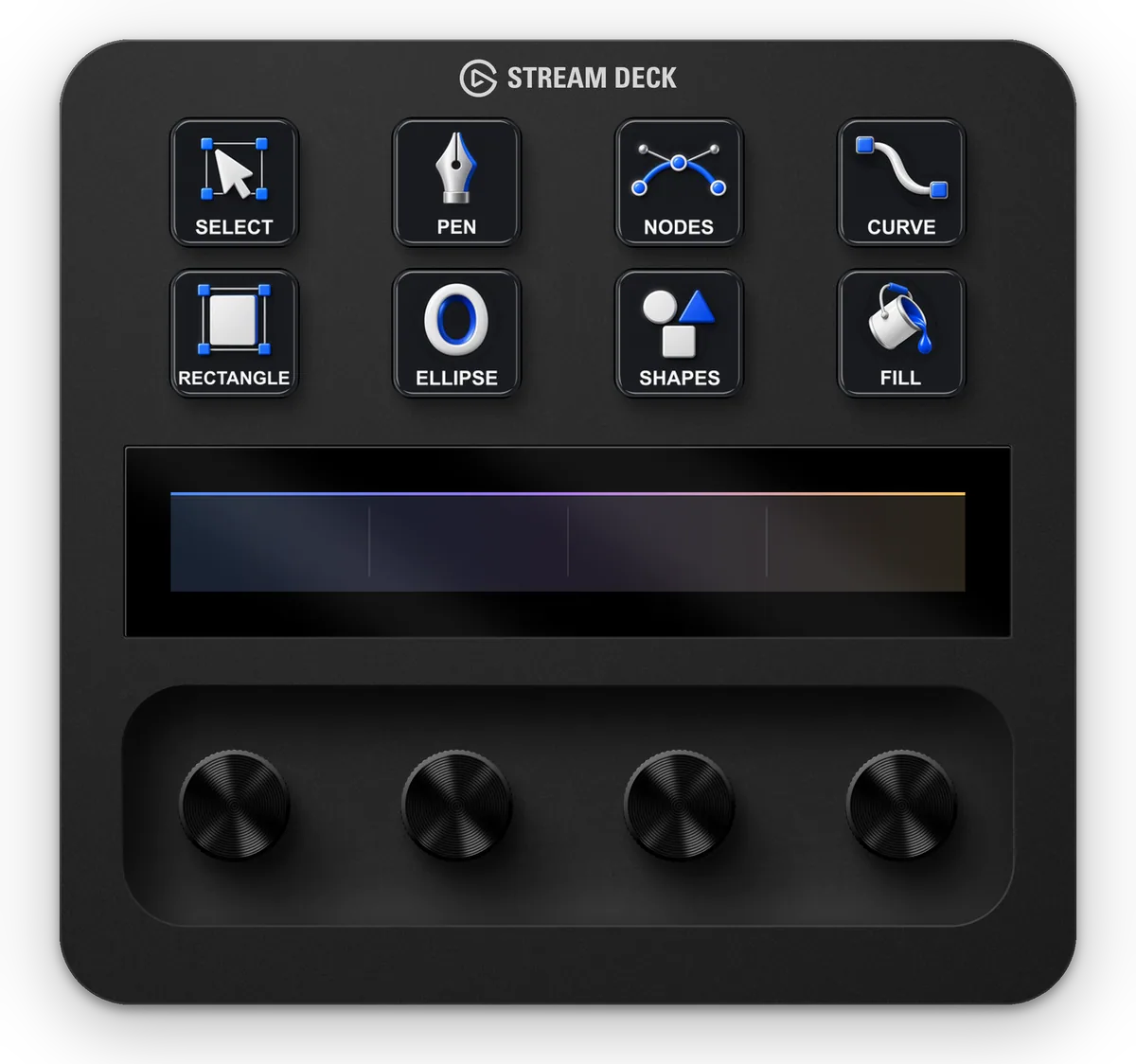
Pick a Stream Deck, press a key to read its name and flip through the pages. Every key shows the pack’s own icon files.
The real icons of Affinity Studio Tools. Press a key to read its name.
Plate 01 · Affinity Studio Tools
every symbol, 48 in all.
Shown without text; the pack also has English labels. Shown larger than on the key; the real size is in Plate 02.


Plate 02 · Detail A
one symbol, two versions.
 English label
 No text
 Select at 72 px, as on the key. Above, the file’s own 144 × 144 px.
- LabelsEnglish and no text: pick the version you like on each key, or put your own title on the one without text.
- SizeEvery icon is a 144 × 144 px PNG, the size the Stream Deck app uses for a key. It stays sharp from a Mini to an XL.
- One style48 symbols drawn the same way, so a full deck reads as one set.
Plate 03 · Notes
what’s in Affinity Studio Tools.
Bring your creative tools into focus.
Affinity Studio Tools gives your Stream Deck a tactile creative workspace: sculpted satin tools, bright silhouettes and a quiet graphite background. Cobalt, violet and amber accents help organize vector drawing, pixel editing and page layout, while a shared design keeps the whole desk coherent.
Build the layout that suits you. Choose English labels or clean no-text artwork with room for your own Stream Deck titles. From pen and node editing to masks, pages and export, each subject has its own visual identity.
- Icons
- 144 static PNG icons, 144 × 144 px (48 distinct symbols)
- Versions
- English and no text
- Stream Deck
- Every Stream Deck model with keys
- System
- Windows and Mac, in the Stream Deck app
- Included
- Icon artwork for the Stream Deck icon library. No profiles, actions or shortcuts
- Where
- Elgato Marketplace
Plate 04 · More sheets
more for Affinity and alike.
-
01
Affinity Signal Icons48 icons · free starter edition · Affinity
€4.99


 Every icon, up close Buy on Marketplace
-
02
Sculpt Icons for Canva32 icons · free starter edition · Canva
€4.99


 Every icon, up close Buy on Marketplace
-
03
Signal Icons for Canva32 icons · free starter edition · Canva
€4.99


 Every icon, up close Buy on Marketplace
Icons are images: they change how keys look, not what they do. Independent artwork by Frenetiq Design, not affiliated with or endorsed by Elgato or the named app and game makers.